




Skip to content
View in the app

A better way to browse. Learn more.

主视角中国

A full-screen app on your home screen with push notifications, badges and more.

To install this app on iOS and iPadOS
  1. Tap the Share icon in Safari
  2. Scroll the menu and tap Add to Home Screen.
  3. Tap Add in the top-right corner.
To install this app on Android
  1. Tap the 3-dot menu (⋮) in the top-right corner of the browser.
  2. Tap Add to Home screen or Install app.
  3. Confirm by tapping Install.

明天的日程安排

(0 评审)

6:00从我家出发集合人马

7:00抵达天津西站

(平房一片)

坐T64/T66次空调特快

http://www.huoche.com.cn/c95547/

合肥开往北京

http://www.huoche.com.cn/c95946/

南京开往北京
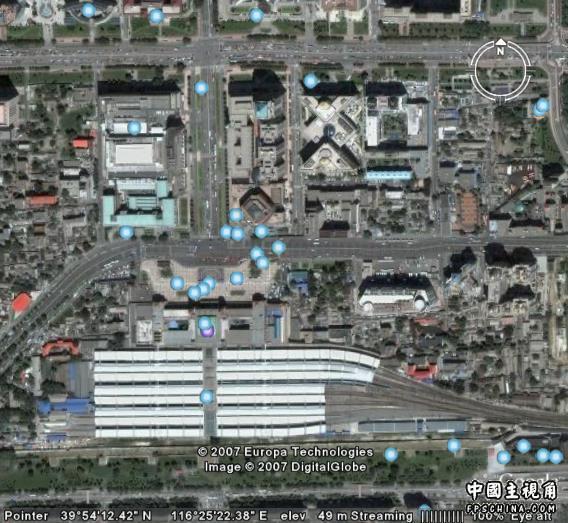
北京站下车

坐一路

或者地铁一号线倒2号线

复兴门倒地铁
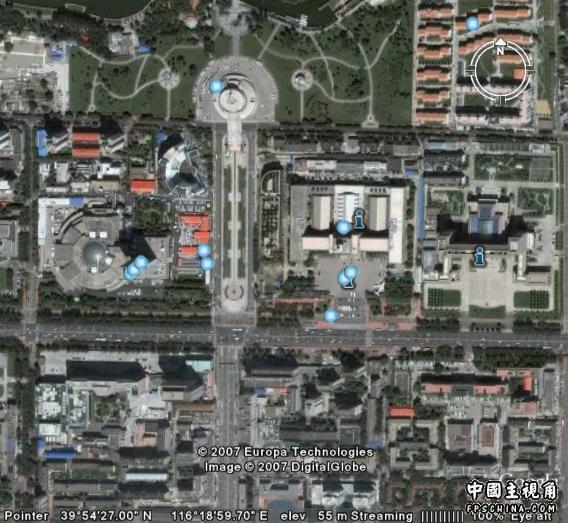
目的地

军博

主要携带的物品:

云南白药

单面保险刀片

手电筒

信号笔

风油精

手机

手表

创可贴

手纸

面纸

手帕

救生哨

铅笔

笔记本

相机

备用相机储存卡

数码清洗伴侣

望远镜

邦迪止痒药膏

大量现金分装6个口袋

信用卡

换洗内裤

黑猫介绍了一家北京西站的旅馆

81一宿

预备一下

万一回不来可以住一宿

赵公口一定不能去

不是本地人不好找

最后一班回来的火车10点

到天津境内就好办了

0 评论

Recommended Comments

没有要显示的评论。

访客
添加评论...

Account

Navigation

搜索

搜索

设置浏览器推送通知

Chrome (Android)
  1. Tap the lock icon next to the address bar.
  2. Tap Permissions → Notifications.
  3. Adjust your preference.
Chrome (Desktop)
  1. Click the padlock icon in the address bar.
  2. Select Site settings.
  3. Find Notifications and adjust your preference.